A product by GraceBit

GraceQ: Order in the waiting room. Overview for the team.

The ticket solution for emergency and walk-in practices: take a ticket on arrival, take a seat, get called. No crowding at reception, and a full overview for your team.
  • Ticket system
  • Live display
  • Statistics
  • Swiss hosted
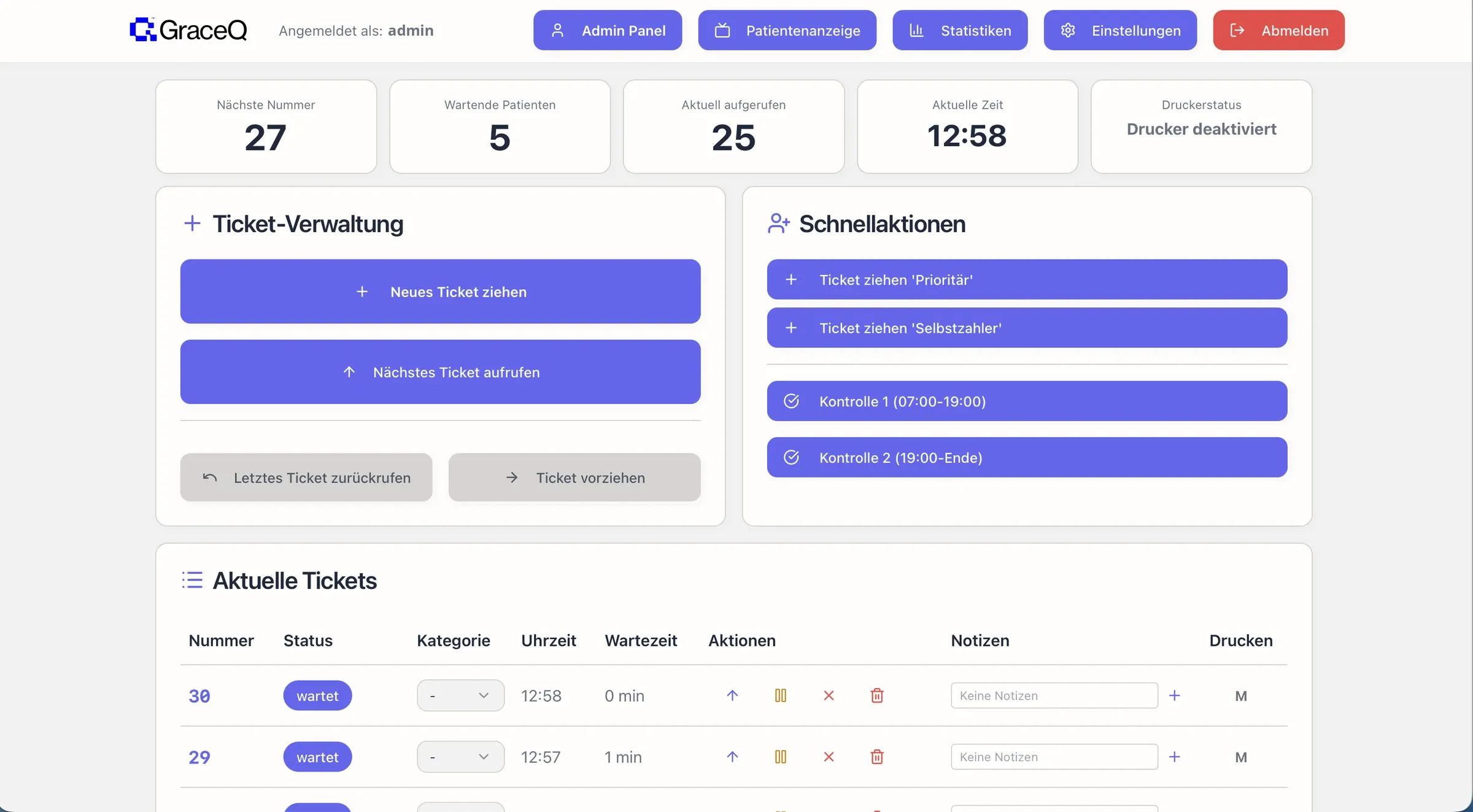
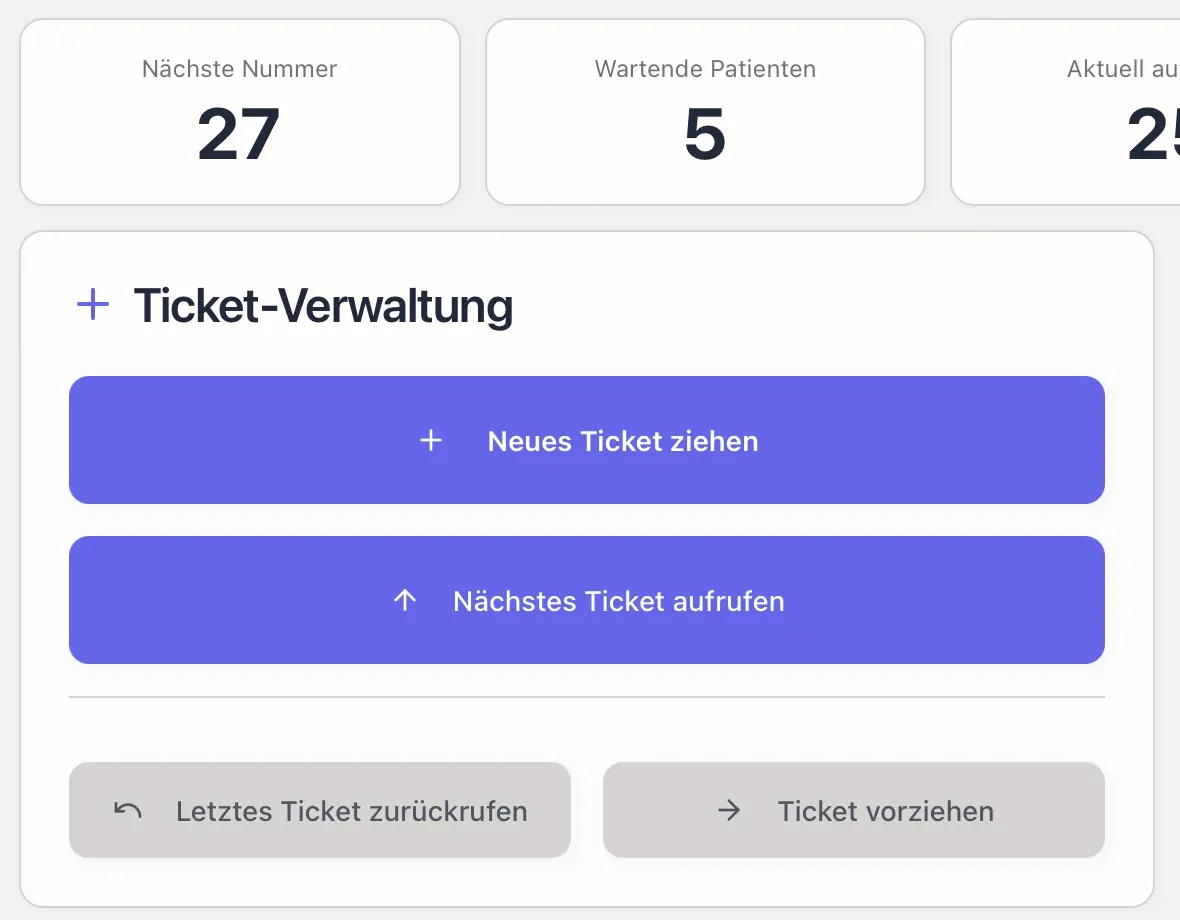
GraceQ admin panel with key figures for the next number, waiting patients and the current call, plus ticket management

In short

GraceQ is a queue and call system by GraceBit AG for emergency and walk-in practices: patients take a ticket on arrival, a live display shows the order, and the team manages call-ups and sees statistics. It runs in the cloud under Swiss data protection law.

01 — Try it live

Take a ticket.

On the left, the ticket machine at the entrance; on the right, the display in the waiting room. Give it a try.

Your number–Take a ticket to join the queue.

‘Call next person’ is the button your team presses in the GraceQ dashboard.

Waiting room displaylive
Now serving
A 41
Room
2
Up next
A 42A 43

02 — How it works

Four features, one calm waiting area.

  1. Take a ticket

    • People waiting join the queue themselves
    • The order is clear to everyone
  2. Live display

    • Who is up, who comes next
    • Visible across the whole waiting area
  3. Overview for the team

    • Queue and call-ups in one place
    • Assign rooms and practitioners
  4. Statistics

    • Waiting times and patient volume
    • A basis for staff planning

03 — A look inside

What GraceQ looks like day to day.

Real views from the system, with test data.
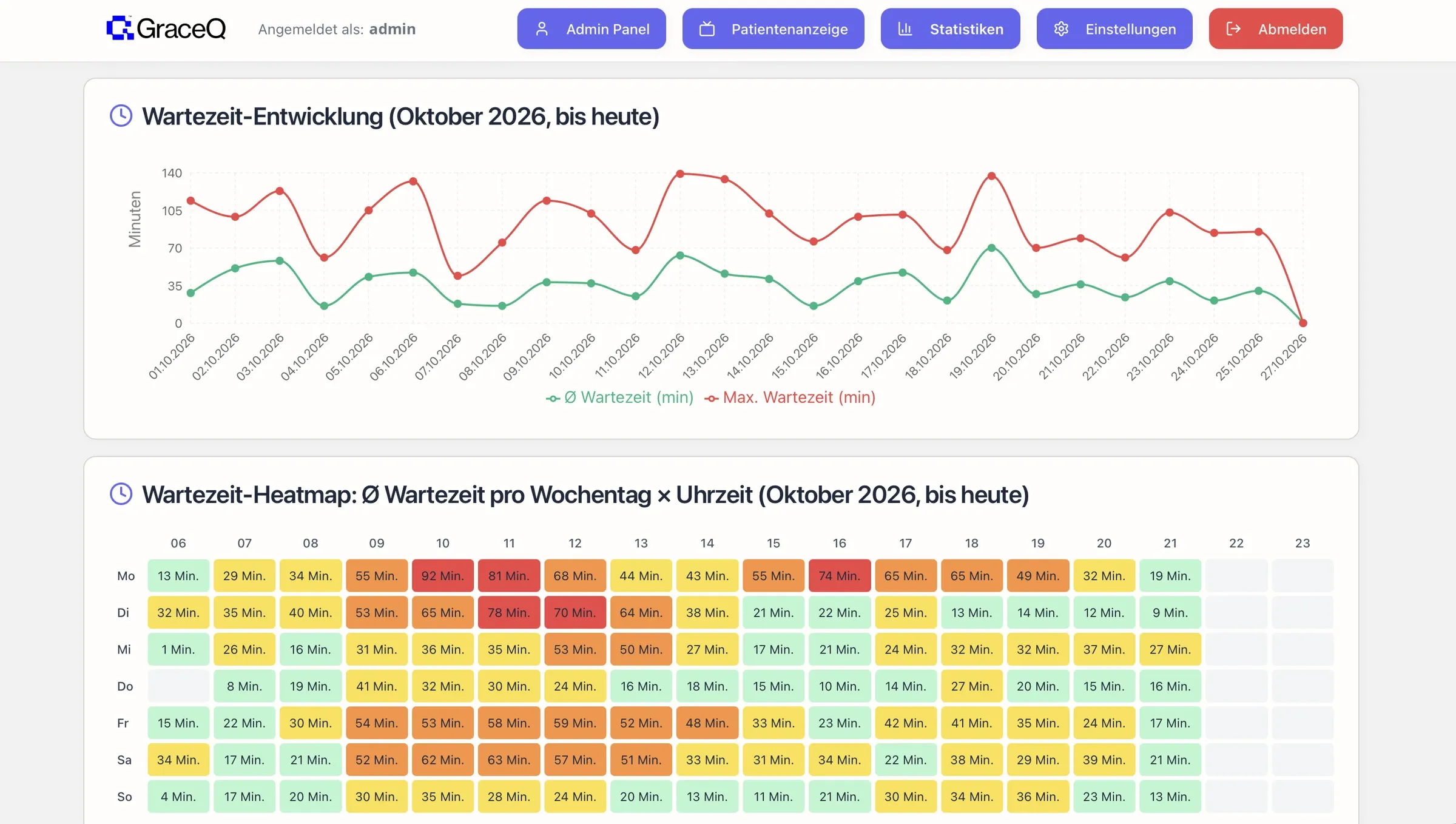
GraceQ statistics view with daily trend, distribution by weekday and a heatmap of peak times
Statistics that keep track. Patient volume, waiting times and peak times by weekday and time of day, recorded automatically.
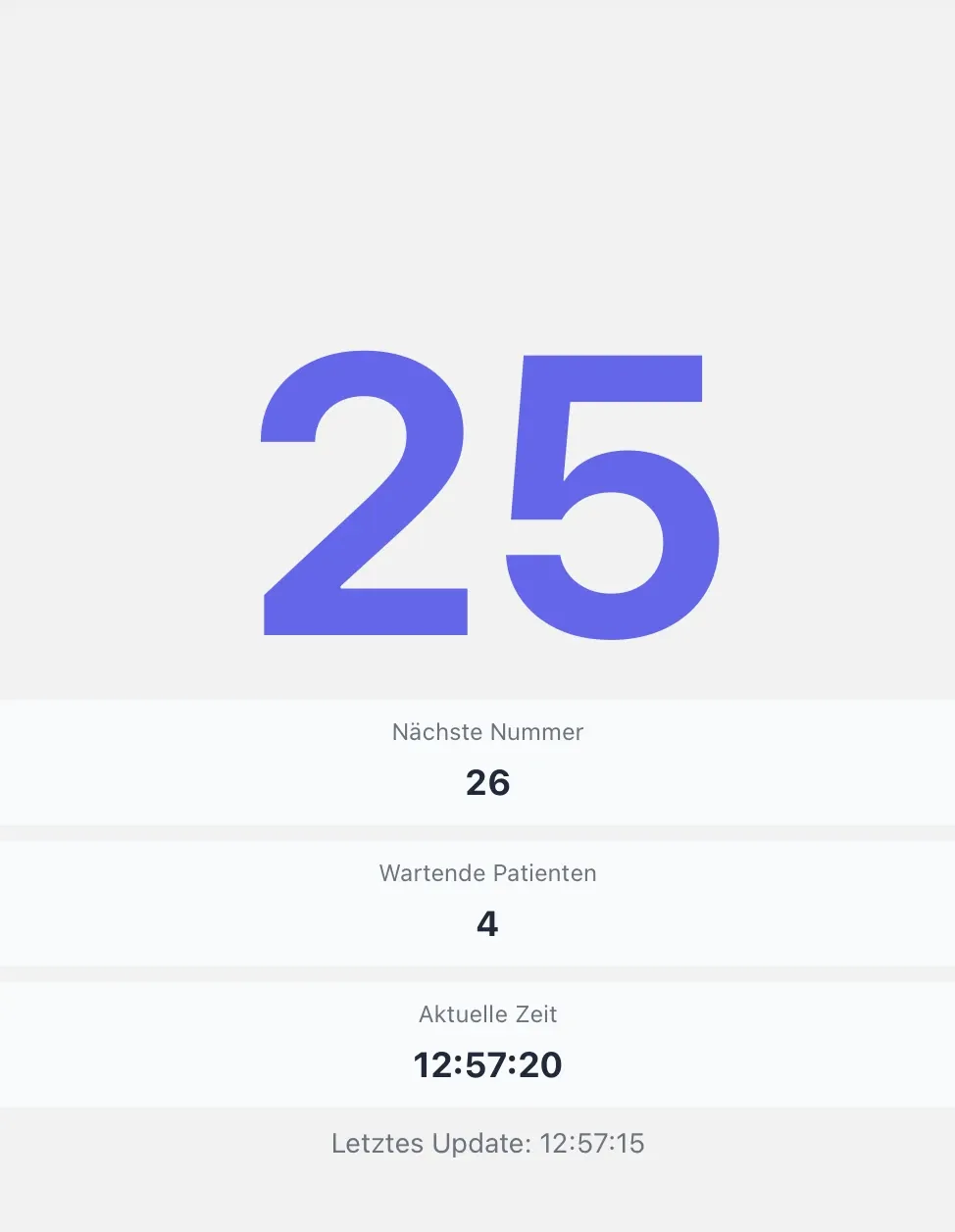
GraceQ display in the waiting room showing called number 25, the next number and how many people are waiting
The display in the waiting room. The called number large and easy to read, plus the next number and how many are waiting.
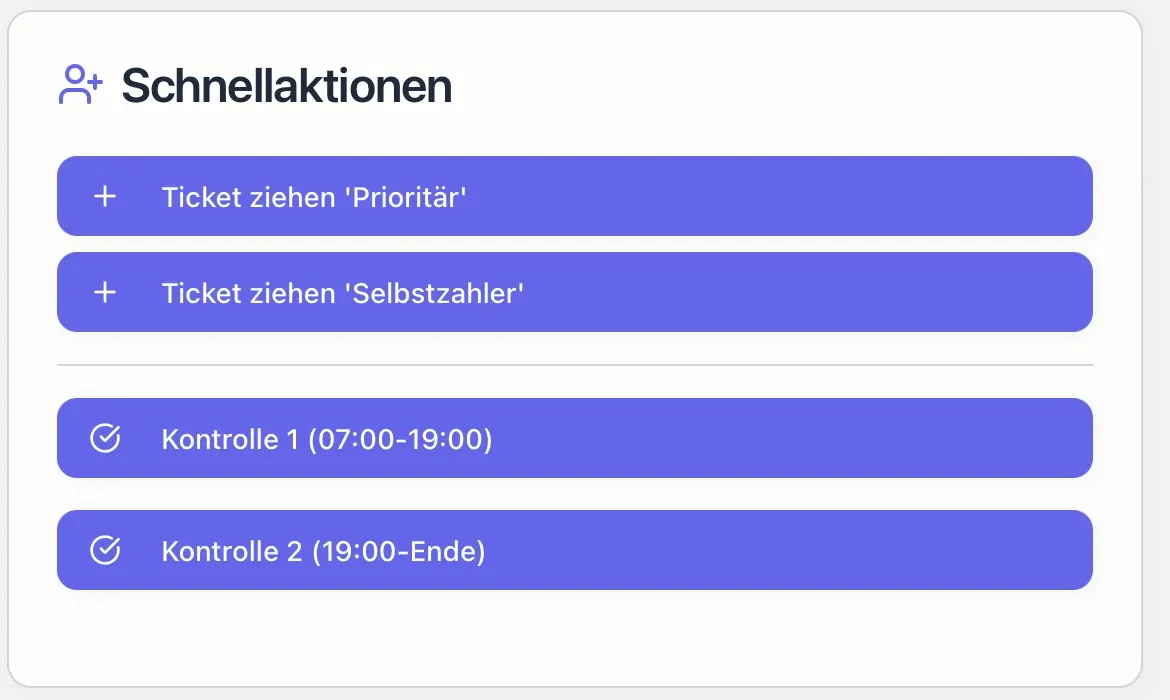
GraceQ quick actions with buttons for tickets by category and for check-ups
Quick actions. Issue tickets by category, such as priority or self-pay, in one click.
GraceQ admin panel with key figures, ticket management, quick actions and the list of current tickets
One dashboard for the team. Issue tickets, call patients, assign rooms and keep track of it all.

04 — In use

In use at Permanence Winterthur.

Since late 2025, GraceQ has been in daily use at an emergency practice with walk-in patients.

Permanence Winterthur · Walk-in emergency practice, Winterthur station

«With central control in the cloud and automated statistics, GraceQ reduces waiting-room chaos, takes pressure off the team and lastingly improves the patient experience.»

Andrea Causio-BusslingerSite manager
  • In use since Q4 2025
  • Ticketing, live display in the waiting room, reports for site management
  • Hosted in Switzerland

05 — Benefits

What changes in your practice.

No crowding at reception

People take a ticket on arrival and sit down. Your reception team looks after patients instead of managing the queue.

A fair order

The display shows everyone the same thing. No more arguments about who goes first.

Data for planning

Patient volume by time of day and weekday shows you when you need more staff.

06 — FAQ

Common questions about GraceQ.

Which practices is GraceQ suitable for?

For emergency and walk-in practices, and for any business where people wait without a fixed appointment.

What is a queue call system?

A queue call system manages the order in the waiting area: everyone who arrives gets a numbered ticket, and a display calls up the next number. GraceQ combines this with an overview for the team and statistics on volume and waiting times.

What hardware do I need?

For the display, a screen with a browser is enough. Tickets can be issued at reception, on a tablet or via QR code. We advise you on the set-up.

Where is the data hosted?

GraceQ runs in the cloud, and we operate it under Swiss data protection law.

How quickly is GraceQ up and running?

After a short set-up with your team. We show you how it works in the demo.

From our insights

More on the waiting room.

Search query and four steps from crawling through indexing and ranking to being cited as a source in an AI answerSEO & GEO

SEO & GEO8 min read

How Google and AI Assistants Find Your Website

Crawling, indexing, ranking and AI answers in plain language: how Google, ChatGPT and others decide which websites to show, and how you can make sure yours is among them.

Contact

Want order in your waiting room?

We’ll show you GraceQ in a short demo, on site or online.

Or directly:+41 44 258 40 00info@gracebit.ch